How to play: your first session, step by step
From an unopened box to a scored routine, in the order the setup screens actually ask for things.
Install the game, create or link a Ubisoft Account, install the free Just Dance Controller app on a phone, put both on the same Wi-Fi network, scan the on-screen code, then pick a song. No camera, mat or console accessory is needed. For a first song, "Bye Bye Bye" is the safest test of whether your tracking setup works.
The first session has four moving parts: the console, the game, the phone and the network. Get them in the right order and the whole thing takes about ten minutes.

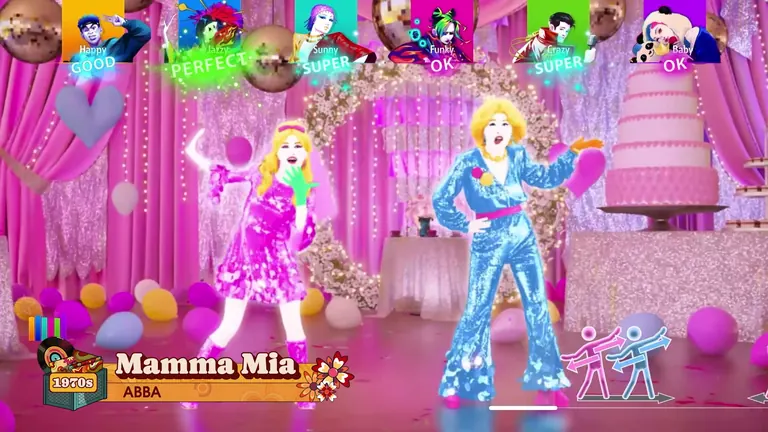
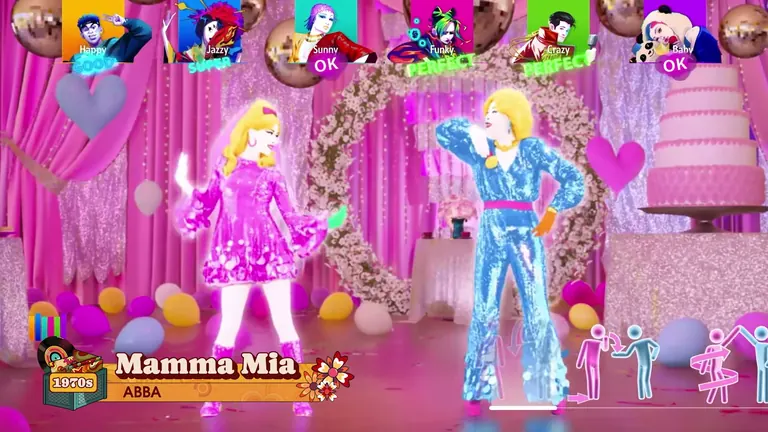
Official Ubisoft in-game screenshot.
Before you start
- Install the game and give it a full update. A launch-day patch is normal for Just Dance titles, and the controller pairing screens occasionally change between builds.
- Link a Ubisoft Account when the game asks. You can play local routines without it, but the Adventure Mode progression, the Dancer Cards and the cross-edition library all expect the account to be attached, and it is easier to do it on first launch than later.
- Put your phone on the same Wi-Fi network as the console. Not the guest network, not a 5 GHz/2.4 GHz split that isolates clients from each other — the same network. Most "the controller will not connect" reports are a network split, not a game bug.
- Install the Just Dance Controller app (free, published by Ubisoft) and allow it local network access if your phone asks.
Pairing the phone
- On the console, start any routine and choose the phone/controller option when it offers you a player slot.
- A four-digit or QR-style pairing code appears on the television.
- Open the Controller app, and either scan the code or type the four digits.
- The slot fills, and the phone turns into a scoring pad showing the routine's motion prompts.
- Repeat for each extra player — up to six on one console.
Choosing your first song
Do not start with the hardest track you like. Pick something that tells you whether your setup works:
| Goal | First song | Why |
|---|---|---|
| Testing the tracking | Bye Bye Bye (*NSYNC, Trio) | Clean three-lane choreography, forgiving tempo |
| Solo, no partner | Uptown Girl (Billy Joel, Solo) | Big readable arm shapes, low intensity |
| Two people | Just a Girl (No Doubt, Duet) | Duet with an obvious first/second dancer split |
| Testing a crowd | Celebration (Solo) | Everybody can copy the chorus from the screen at once |
Reading the screen while you dance
- The coach column shows the dancer you are meant to mirror, and the ghost trail shows the next move. Watching the ghost rather than the coach is what separates a first-week player from a comfortable one.
- The lane markers tell you which dancer you are. In trios, quartets and the quintet, each lane is colour-coded, so standing in the wrong position costs you accuracy until you shuffle back.
- The scoring bar at the top moves through Super, Good, Ok and X as you hit or miss the beat. The game scores you on timing against the music, not on how big your movement is.
- The move name appears with each phrase the first time a song is played. Second runs drop the names and expect you to remember.
What the modes are, in one line each
- Standard play — pick any song, score it, move on.
- Adventure Mode — a story campaign exclusive to this game; see the Adventure Mode guide.
- Party Mode — the rules change every round; see the Party Mode guide.
- Workout Mode — tracks calories per routine and per session; see the Workout Mode guide.
- Local multiplayer — up to six dancers on one console; see the multiplayer guide.
The three mistakes that ruin a first session
Standing too close to the phone. The controller app reads movement, not distance, but if the phone sits on a table facing away from you, the game sees almost nothing. Prop it up, screen facing the room, roughly at chest height.
Playing on a laggy television. Game mode on your TV's picture settings matters here more than in most games. If your scores feel random rather than earned, that is usually display latency, not you.
Assuming a bad score means bad form. Beginners routinely score better on slower songs with big arm shapes than on fast songs with small ones, because the app tracks hands and arms more reliably than feet. If tracking feels broken, test with Uptown Girl before you change any settings.