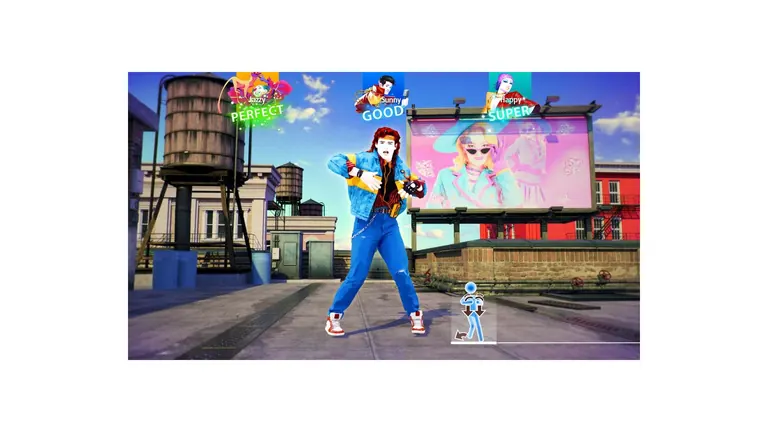
Dancer Cards: profiles for everyone in the room
One profile per dancer, up to six on a console — and the reason your score disappears when someone else plays.
Just Dance: Decades of Hits gives each dancer their own Dancer Card: a profile with an avatar, background, border, scoring effect, victory effect and emotes. Cards are tied to the player slot you dance in, so the card that scores is the card in your lane. Up to six locally.
The multiple dancer card system is one of the three features that separate Decades of Hits from Just Dance 2026 Edition. In older entries, one profile collected everything and the rest of the room danced anonymously. Here, every lane on screen has its own identity.
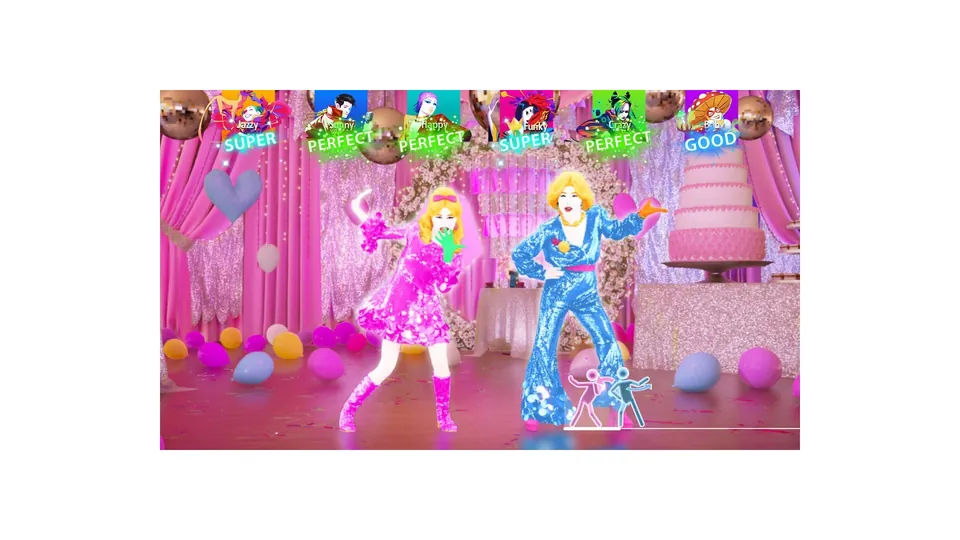
Official Ubisoft in-game screenshot.
What is on a card
| Element | What it changes |
|---|---|
| Avatar | The figure shown next to your lane and on your results screen |
| Background | The card art behind your profile |
| Border | The frame around the card, shown whenever your score appears |
| Scoring effect | The visual that plays when you hit a move |
| Victory effect | What plays when you finish a routine well |
| Emotes | Reactions you can trigger from the results screen |
None of it changes how you score or which songs you can play. It is presentation, and in a game that puts six people's results on one television at the same time, presentation is doing real work — the whole point of the system is that a full room does not look like one person playing five times.
How a card gets attached to a dancer
A card belongs to a player slot, not to a phone. That distinction causes most of the confusion people hit in the first week:
- You pick a slot when you join a routine.
- The card already assigned to that slot is the one that collects the score.
- If a second person joins and takes slot 2, they are dancing as whatever card slot 2 is — often the default.
So if your score "went to the wrong person", the room simply used the slots in a different order than you assumed. Either set the cards up once at the start of an evening and keep people in their own slots, or re-pick the card each time someone joins. The first option is less friction by a wide margin.
Setting up a household
- Create the cards first. Do it in one sitting before anyone plays, while the room is still willing to spend five minutes on menus.
- One card per regular player. A household of four needs four cards, and the cards should be named so that people recognise their own lane.
- Leave the phones paired. Card does not follow phone, but pairing does follow phone — so keeping the same phone in the same hands removes the whole class of mix-ups.
- Decide about sign-in. Attaching the profile to a Ubisoft Account gives the card somewhere to live; local-only is simpler but loses the card if the console data goes.
Where the items come from
Card items drop through the normal progression systems — star ratings, routine completion and the Adventure Mode reward track, which pays era-themed items per world. The progression guide covers which system feeds what. The Limited Edition's 2000s Digital Cosmetic Pack is the one set of card items that arrives as a purchase rather than as progression.
Six cards, one television
The practical limit is not the game, it is legibility. Six cards on a results screen fills a normal television, and the lane colours matter more than the art once more than four people are dancing. If your room regularly runs five or six dancers, set the cards up so their colours are distinguishable at a glance rather than all themed around the same palette — the multiplayer guide has the lane layout.