Television setup: why your scores are worse than you are
Half of this game's performance happens between the console and your eyes.
Turn on your television's game mode, disable motion smoothing and other picture processing, and stand the phone up facing the room roughly at chest height. Test with Uptown Girl: if a slow routine with big arm shapes scores badly, the problem is latency or phone placement, not the dancer.
A Just Dance routine is a loop: the game shows you a movement, you do it, the phone sends it back, the game grades it. Anything that adds time to that loop shows up as a bad score, and the television is the biggest source of added time in a typical living room.

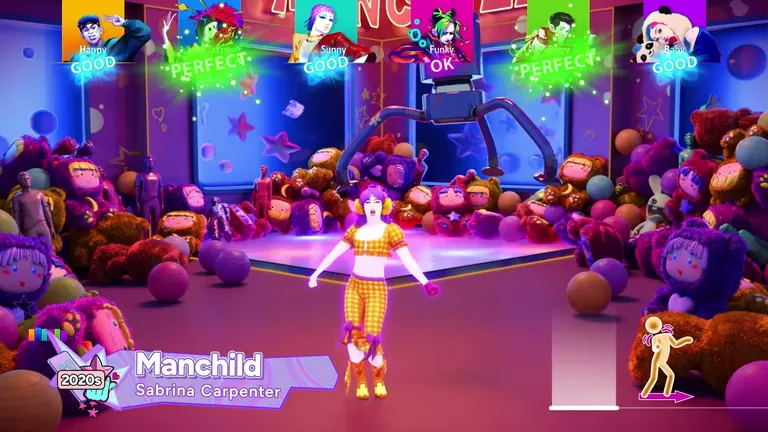
Official Ubisoft in-game screenshot.
Fix the display first
Modern televisions do a lot of processing before a picture reaches your eyes, and most of it is designed for films rather than games. In order of impact:
- Game mode. Every major brand has one. It disables most of the processing chain and it is the single largest improvement available.
- Motion smoothing. Also called the soap-opera effect. Turned off in game mode, but worth verifying if your set keeps it per-input.
- Picture presets. "Cinema" or "Filmmaker" modes add delay. If game mode is unavailable, a plain standard preset beats a heavily processed one.
- Soundbars and receivers. Audio processing adds its own delay and can desynchronise the music from the choreography. If the game's prompts feel late relative to the track, look at the audio chain before blaming the phone.
- Age of the set. A decade-old television in a non-game picture mode can add enough delay to make the hardest routines feel impossible. If the room is struggling and the display is old, that is a real answer, not an excuse.
Then fix the phone
The measurement itself has to be clean:
- Stand it up. Flat on a table, in a hand or in a pocket all reduce what the app can read.
- Face it into the room. A phone pointing away from the dancers reads almost nothing.
- Chest height. Roughly where most movement happens; too low and the arms leave frame, too high and the legs do.
- Keep it still. A phone wobbling on a cushion generates movement data the game did not ask for.
- Give it 5 GHz if the router splits bands, and keep it near the play area rather than across the house.
The calibration test
Do not test with a hard routine. Play Uptown Girl — slow tempo, large readable arm shapes, forgiving timing — and read the result honestly:
| Result on Uptown Girl | What it means |
|---|---|
| High score, consistent grades | Setup is fine; any difficulty elsewhere is the routine |
| Good on some moves, dead on others | Phone angles or height — arm movement is leaving frame |
| Consistently poor despite accurate dancing | Latency in the display or audio chain |
| Wildly inconsistent between attempts | Network: dropped packets or a congested access point |
That table is the whole diagnostic. It separates the three causes in under two minutes instead of an evening of guessing.
Room setup that helps
- One square metre per dancer, minimum. Room to step back is room to make a full movement.
- No low tables in the play area. Not for latency — for ankles.
- A visible television at the right height. Dancers read the ghost trail constantly; a screen read from below or above costs accuracy.
- One charger per two phones. A scoring phone running its screen and radio at once lasts noticeably less than an evening.
What is not worth doing
Expensive HDMI cables do not reduce latency. Neither does a "gaming" router aimed at the play area — client isolation and band choice matter far more than either. And no television setting will fix a phone that is lying face-down on the floor, which remains the most common cause of a bad score in this game.
If the display chain is clean and problems persist, the rest of the checklist is on the troubleshooting page.